Role: UX Specialist
Futuristic academic search experience
Employer: Deakin University Library, Australia
Team size: 10 (Director, Project Leads, Experience Librarian, Librarians, Developers, Visual Designers)
Project Lead time: 16 week
Year: 2020
Situation
Insights
Libraries have a complex relationship with discovery layers and search experiences. While these platforms have become integral to information search and access in many libraries, they have struggled to match the user experience of web search engines. The challenges arise from the content they need to surface and the intricacies of the second stage of the search and access paradigm.
Objectives
The primary objectives of the project was to develop a working prototype that showcased globally that academic search doesn’t need to be complicated. That we can build confidence in users, where they trust the systems when conducting an academic search.
Method
Discount usability analysis: 3 x synthesis sessions with the experience team.
Ideation workshop: 1 x 3hr ideation workshop.
Task
I led the UX research for the project, developing and facilitating key workshops, including mapping and ideation sessions. Additionally, I guided the design component, ensuring that insights from the research were effectively translated into actionable design solutions.
Action
Research
Guided by the project lead, we applied discount usability by repurposing previous research and data. This consisted of both quantitative and qualitative data: surveys, chat logs, personas, and workshops that each collectively told the story about the current search experience. Along with other stakeholders we completed affinity mapping where we identified three key stages in the customer journey:
- What users do before conducting a search
- How they perform a search
- At what point the search experience is complete
In addition to this, I created three project personas that documented user behaviour, thoughts, goals, and patterns. Thirteen user stories were then aligned with the project principles to ensure alignment with user needs and project direction.

Image of affinity mapping the discount usability data
Ideation
I planned and facilitated an ideation session that involved project managers, developers, designers, and directors. During the session, attendees familiarized themselves with the personas and challenged assumptions about the current search experience, leading to HMW (How Might We) statements. To uncover new innovative ideas I asked them to use a certain object solve their problems. Innovative solutions were generated, categorised into three themes: Technical, design, and experience.
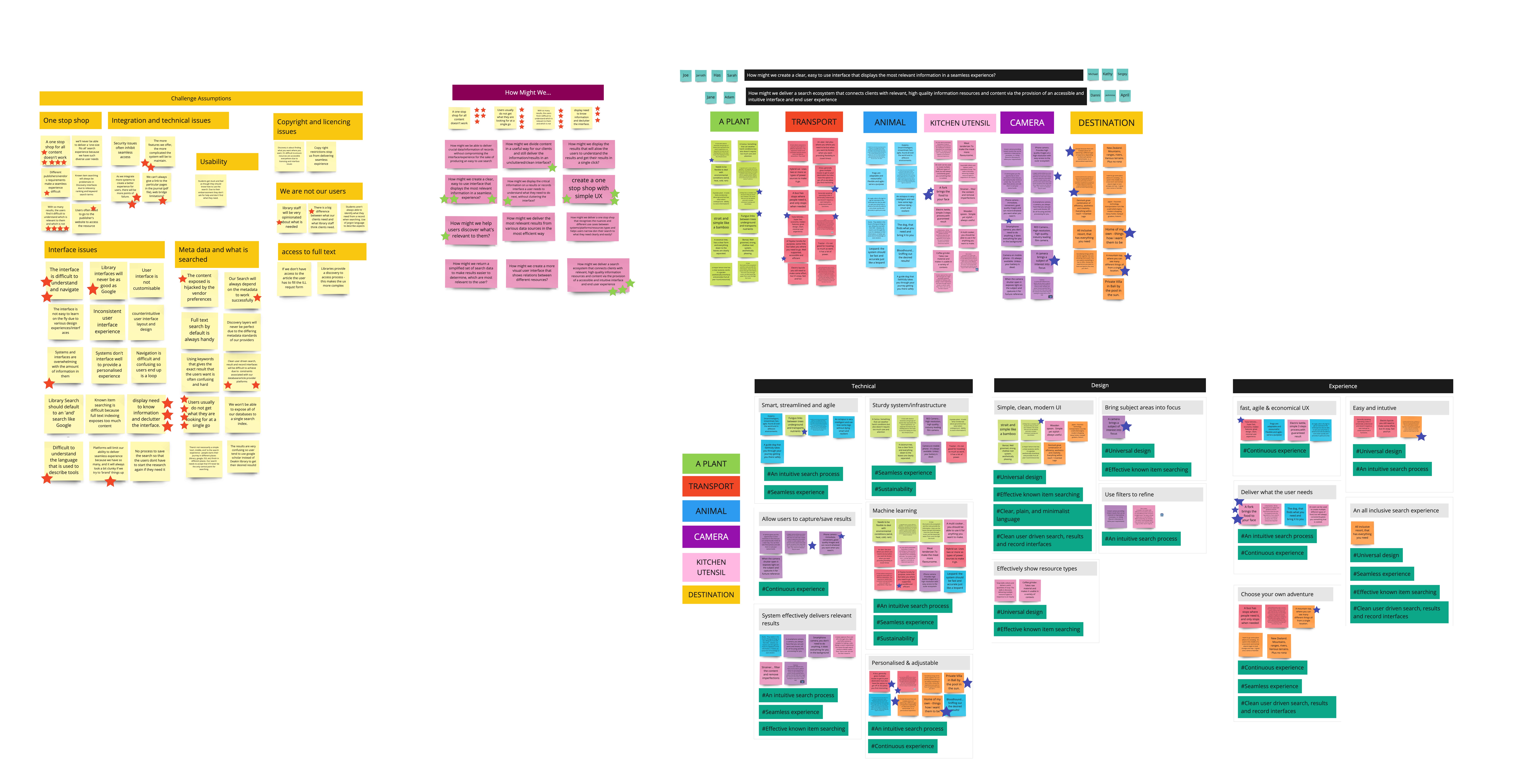
Image of the ideation workshop
Results
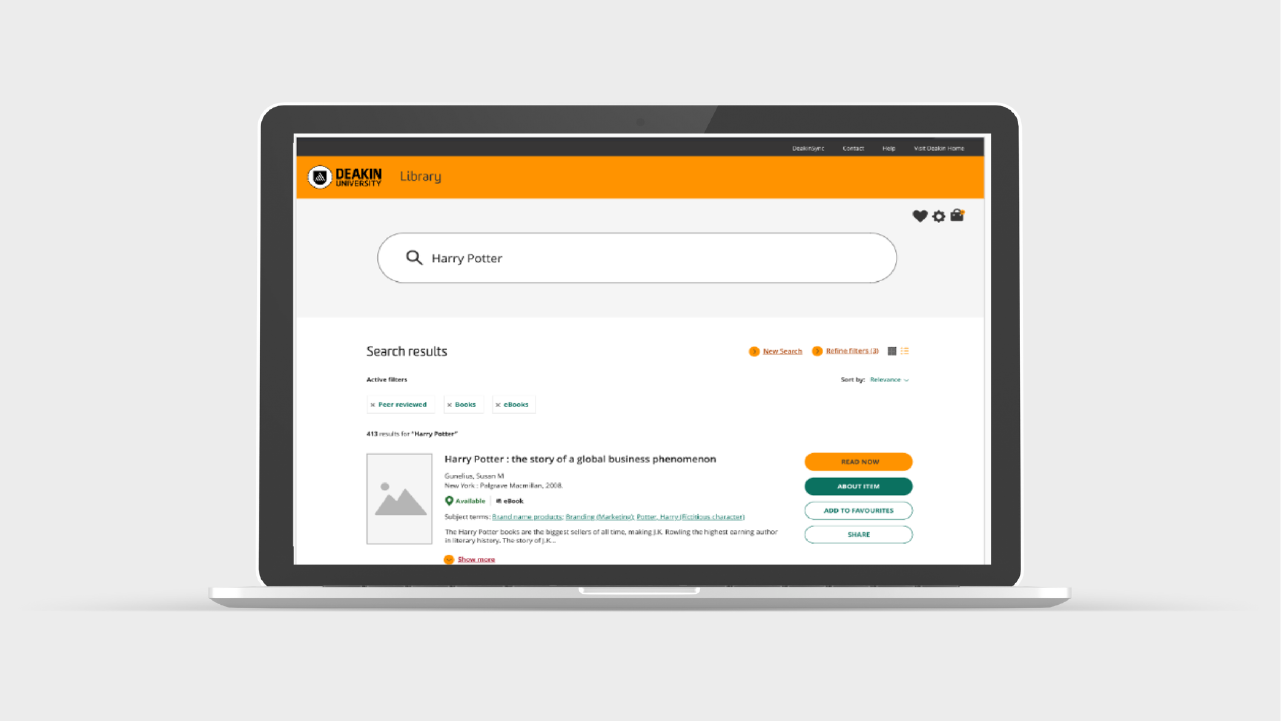
The project resulted in a clickable prototype, created by the visual designers, that fulfilled technical abilities, user experience, and overall design identified from personas, user stories, and the ideation session. The prototype offered smart, streamlined, and agile search capabilities with the possibility of personalisation and machine learning integration. The design followed a simple, modern aesthetic, making it easy for users to find resource types and subject areas. Intuitive filters improved the overall experience, empowering users to tailor their search adventure.
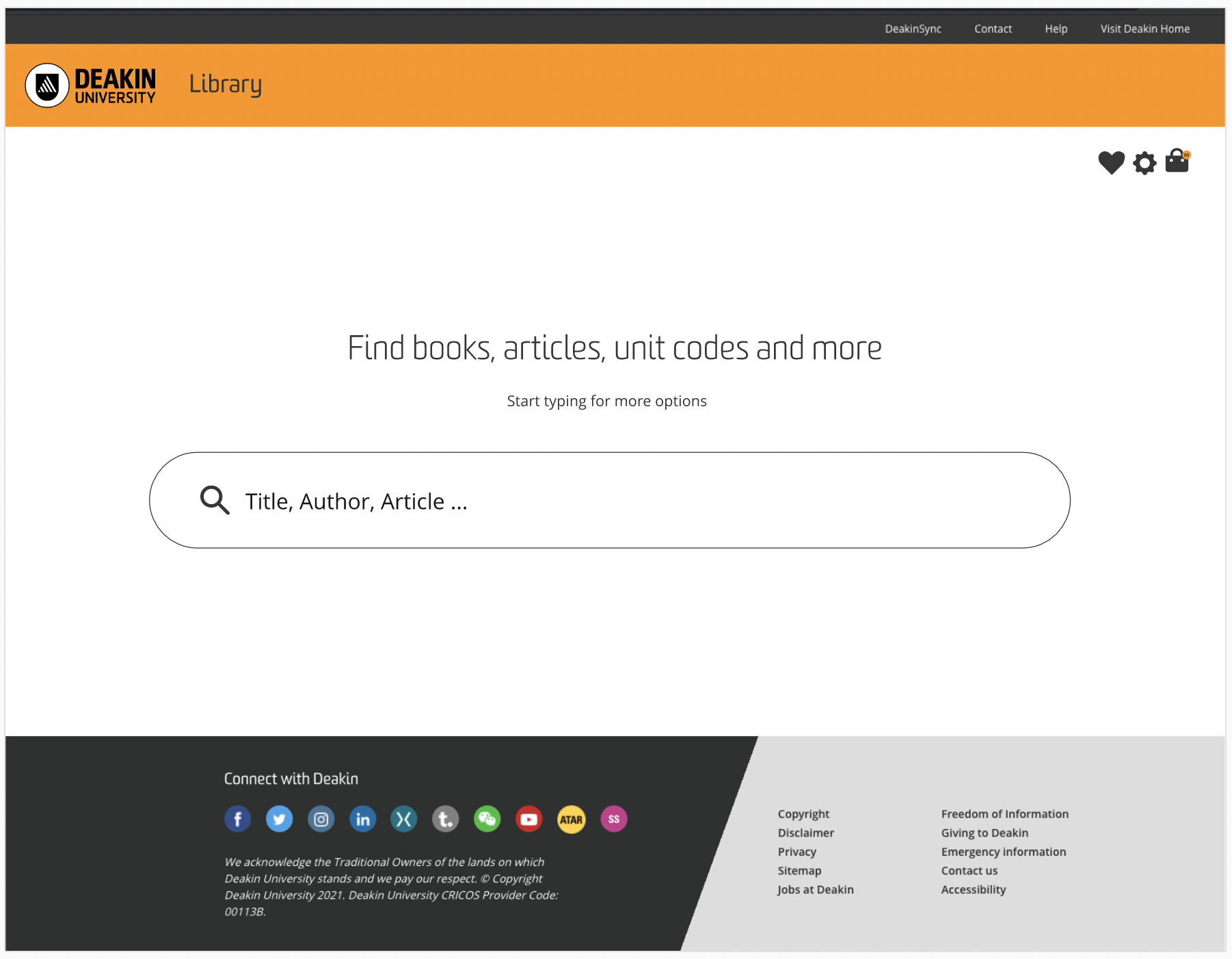
Search bar
This screen captures the start of the user journey. A big central focus was to have a clear, defined search bar with simple clear language.

Filtering
As soon as a user types in their search query, filters appear. This is a customisable experience, giving the user autonomy. By giving them control at the start of the experience creates a sense of independency.
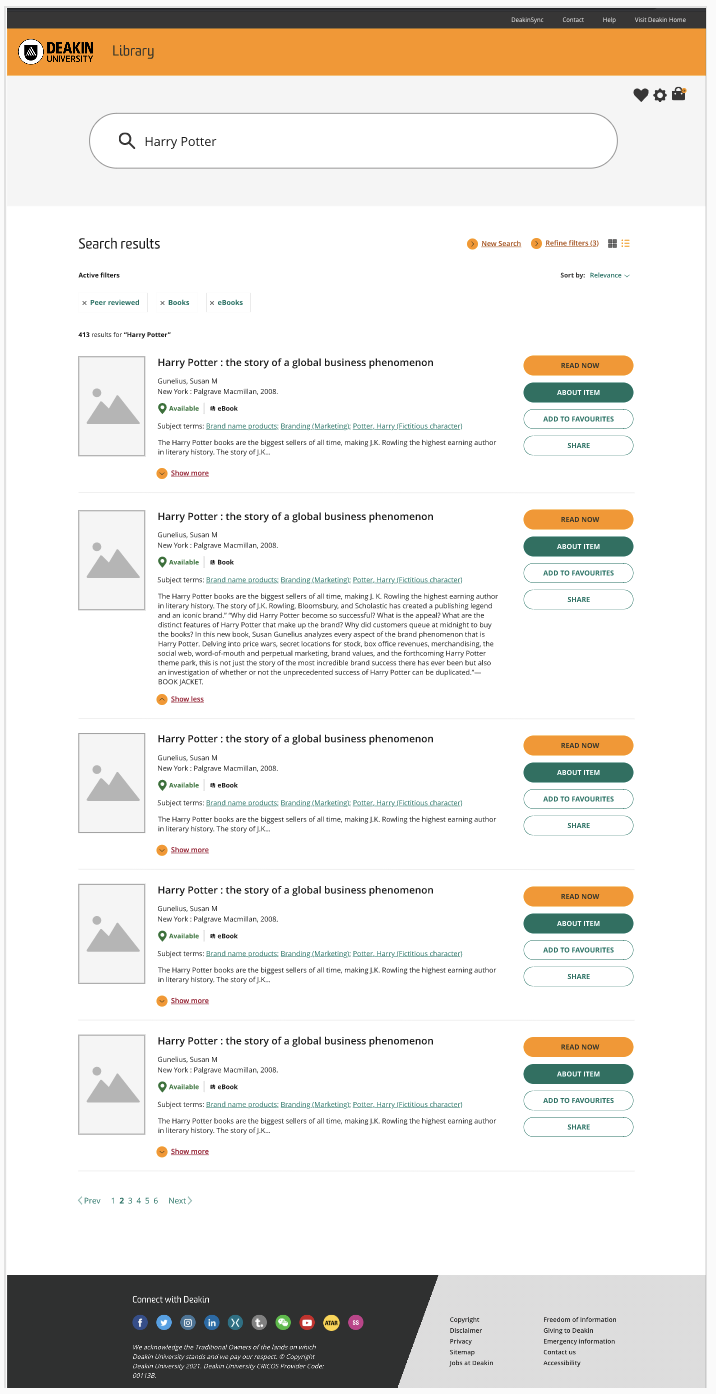
Displaying search results
As soon as a user types in their search query, filters appear. This is a customisable experience, giving the user autonomy. By giving them control at the start of the experience creates a sense of independency.
All images used in above examples copyright Deakin University, reproduced with permission.
 Anna Edwards